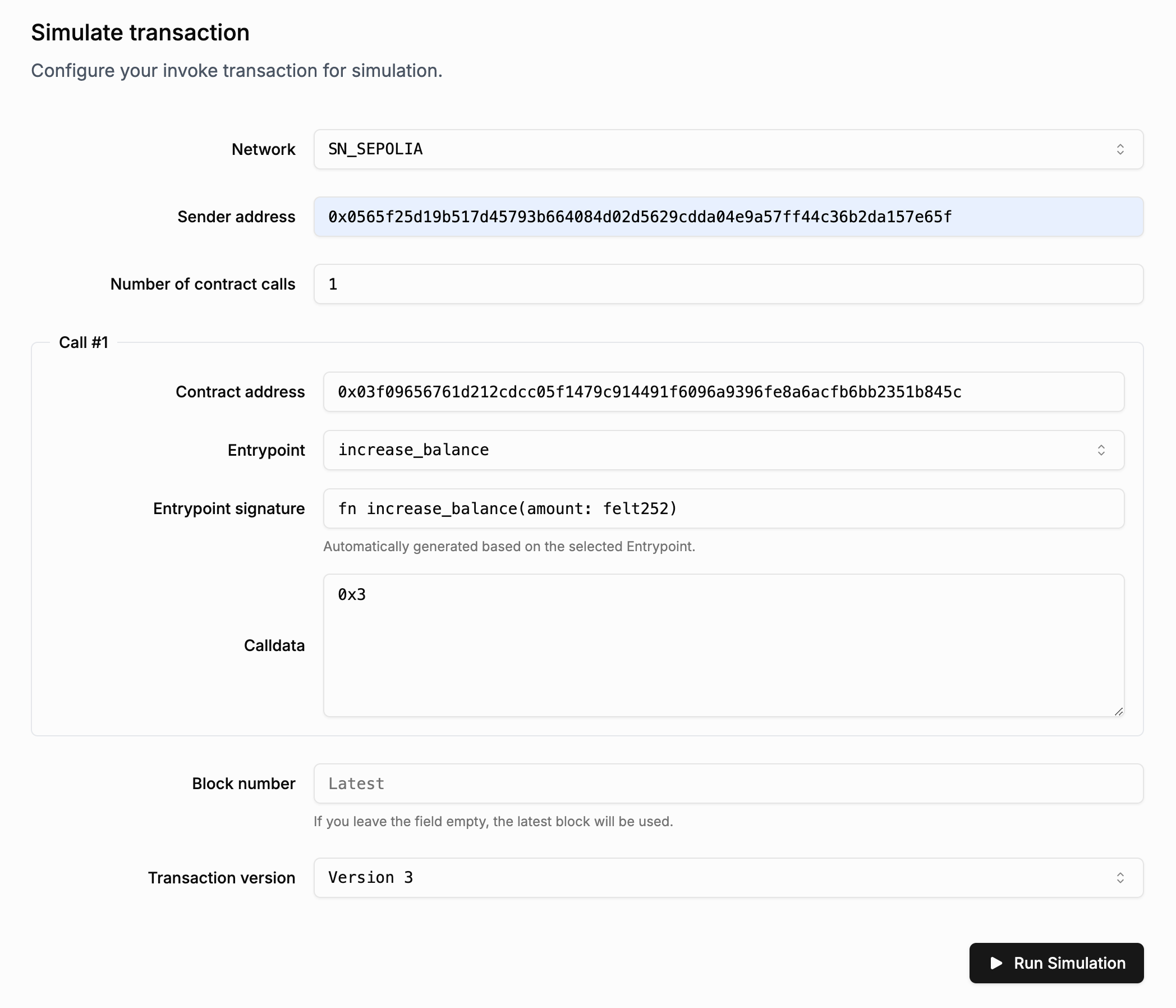
Simulate New Transactions
Here's how to simulate a new transaction in Walnut.
Suppose we want to simulate a transaction calling increase_balance on this contract deployed on Sepolia:
0x03f09656761d212cdcc05f1479c914491f6096a9396fe8a6acfb6bb2351b845c
The entrypoint we intend to call:
fn increase_balance(amount: felt252)
Step 1: Navigate to the Simulation Page
Go to Walnut and click on "Simulate Transaction".
Step 2: Fill in the Form Fields
- Network: Choose
SN_SEPOLIA, since the contract is deployed on Sepolia. - Sender Address: Enter your account address or any valid account address.
- Number of contract calls: Set to
1, as we are invoking a single contract.- Contract address: Paste
0x03f09656761d212cdcc05f1479c914491f6096a9396fe8a6acfb6bb2351b845c. This will auto-load the list of available entrypoints. - Entrypoint: Select
increase_balancefrom the list of available functions. - Entrypoint signature: Shows the function signature and expected input arguments. This field is read-only; use it as a reference for the calldata field below.
- Calldata: The
increase_balancefunction takes one argument namedamountof typefelt252. You can input a value like3, encoded as0x3.
- Contract address: Paste
- Block Number: Specify a block number, or leave it blank to use the latest block.
- Transaction Version: Set to
Version 3.
Step 3: Run the Simulation
Click "Run Simulation" and wait for the results.