Re-simulate Existing Transactions
Here's an example of how to re-simulate a transaction that failed from incorrect calldata.
Step 1: Locate and Analyze the Failed Transaction
Open Walnut and use the search to find the transaction with hash: 0x04e9aaf268efe3fd9a328f5d40867231dfae14549126db8ed5471d3b3ed4da78.
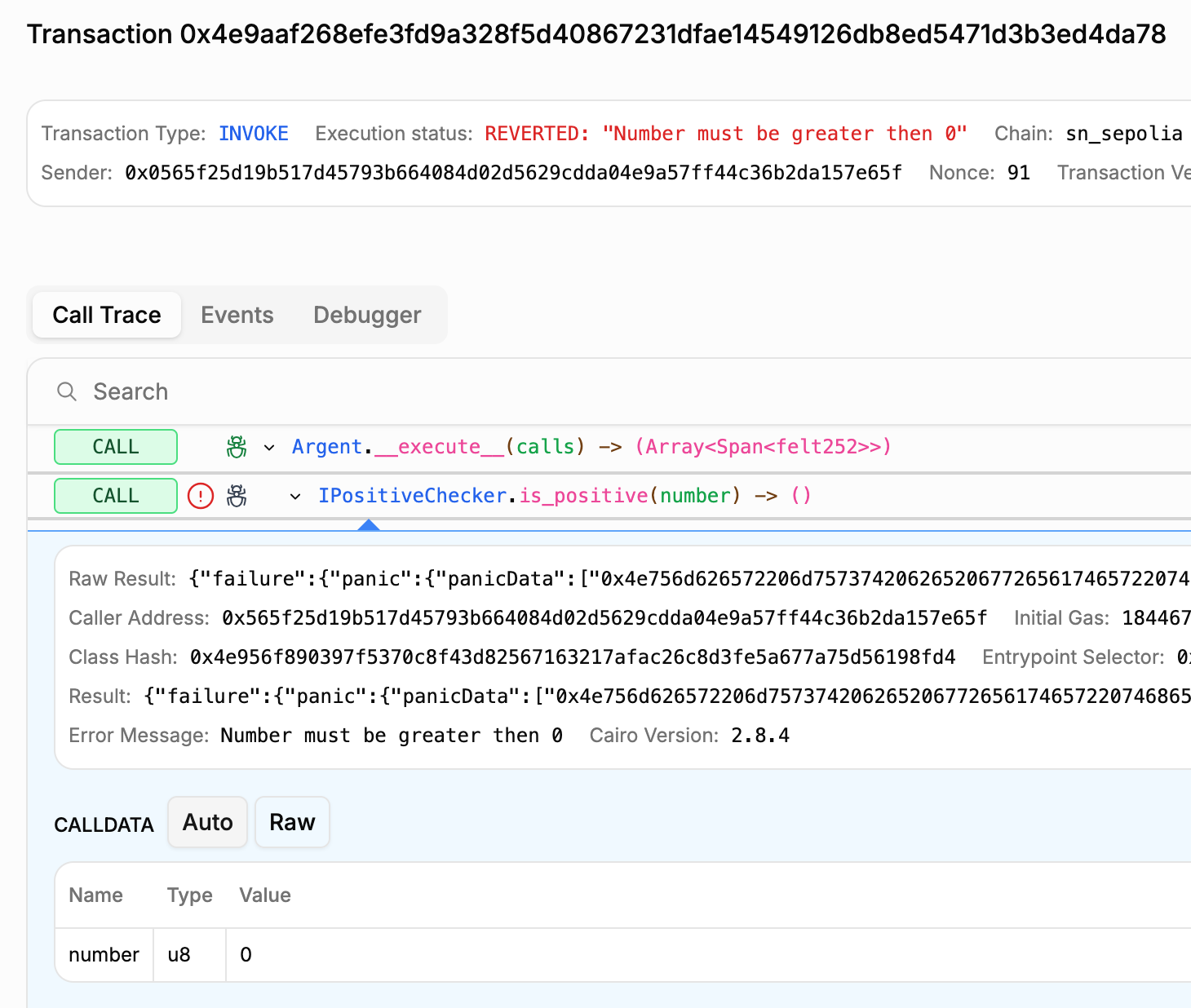
The transaction reverted with this error: "Number must be greater than 0". It originates from the is_positive function call.
Reviewing the calldata shows the function received 0, which violates the function's requirement for a positive number.
Step 2: Re-simulate the Transaction
To resolve the issue, modify the calldata by replacing the invalid 0x0 with a valid positive number like 0x5. This satisfies the is_positive requirement.
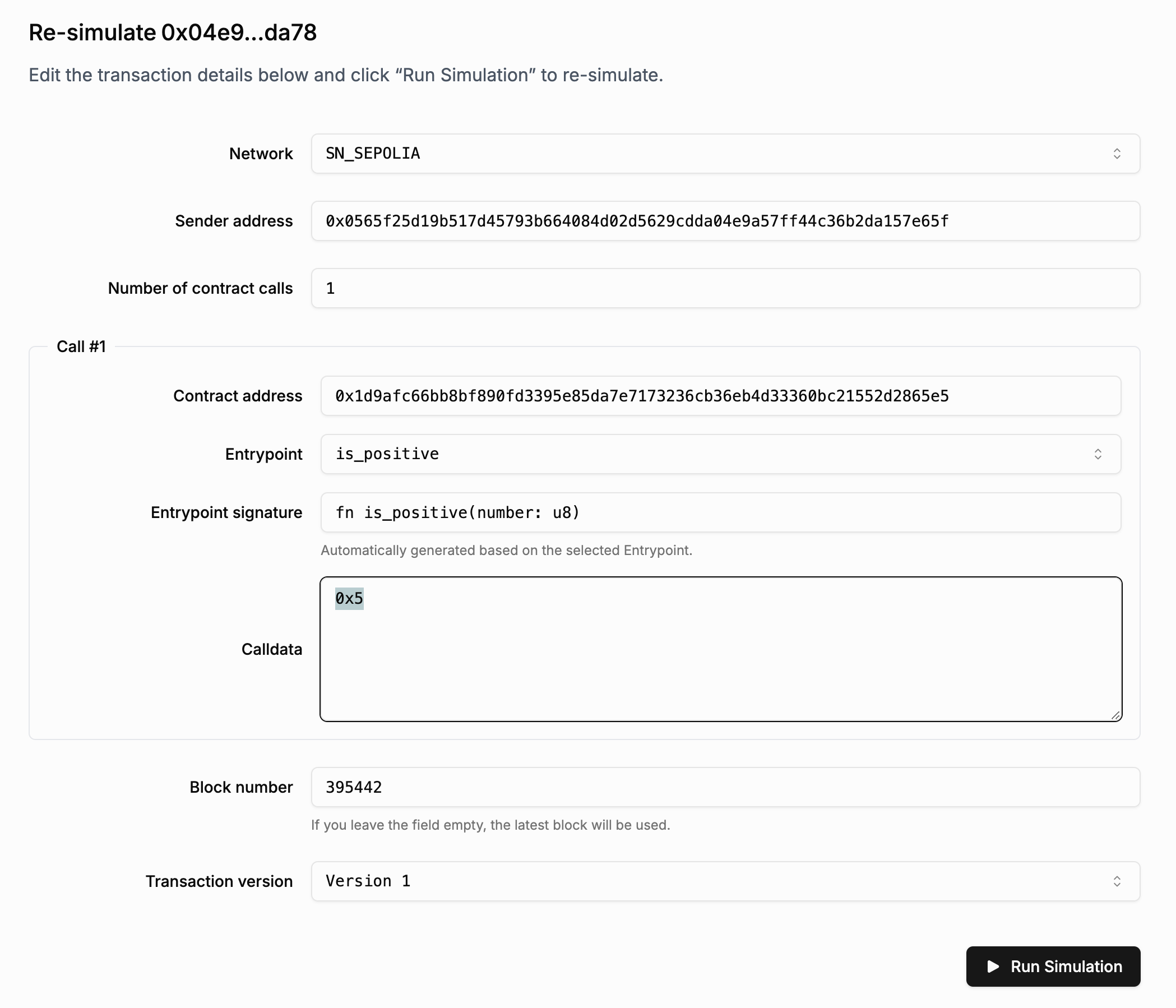
Click "Run Simulation" to execute the transaction with the updated calldata.
Step 3: Check the Simulation Result
With the updated calldata, the transaction succeeds. The argument 0x5 satisfies the is_positive requirement.
You can view the results here.