Overview
Transaction simulations let you understand what a transaction will do without executing it on-chain. You can preview how a transaction interacts with smart contracts and how it changes blockchain state, without touching the real network.
Why Simulations Matter
Simulations help test, debug, and verify transaction behavior. They catch security issues, edge cases, and logic errors before deployment.
Simulations vs. Re-simulations
- Simulation: Create a brand-new transaction with custom parameters and preview the result without sending anything on-chain.
- Re-simulation: Replay an existing on-chain transaction, optionally tweak its parameters, and see how different outcomes might unfold.
Walnut Simulation Page
Walnut's Simulation page lets you configure a transaction simulation. Here's what each field does:
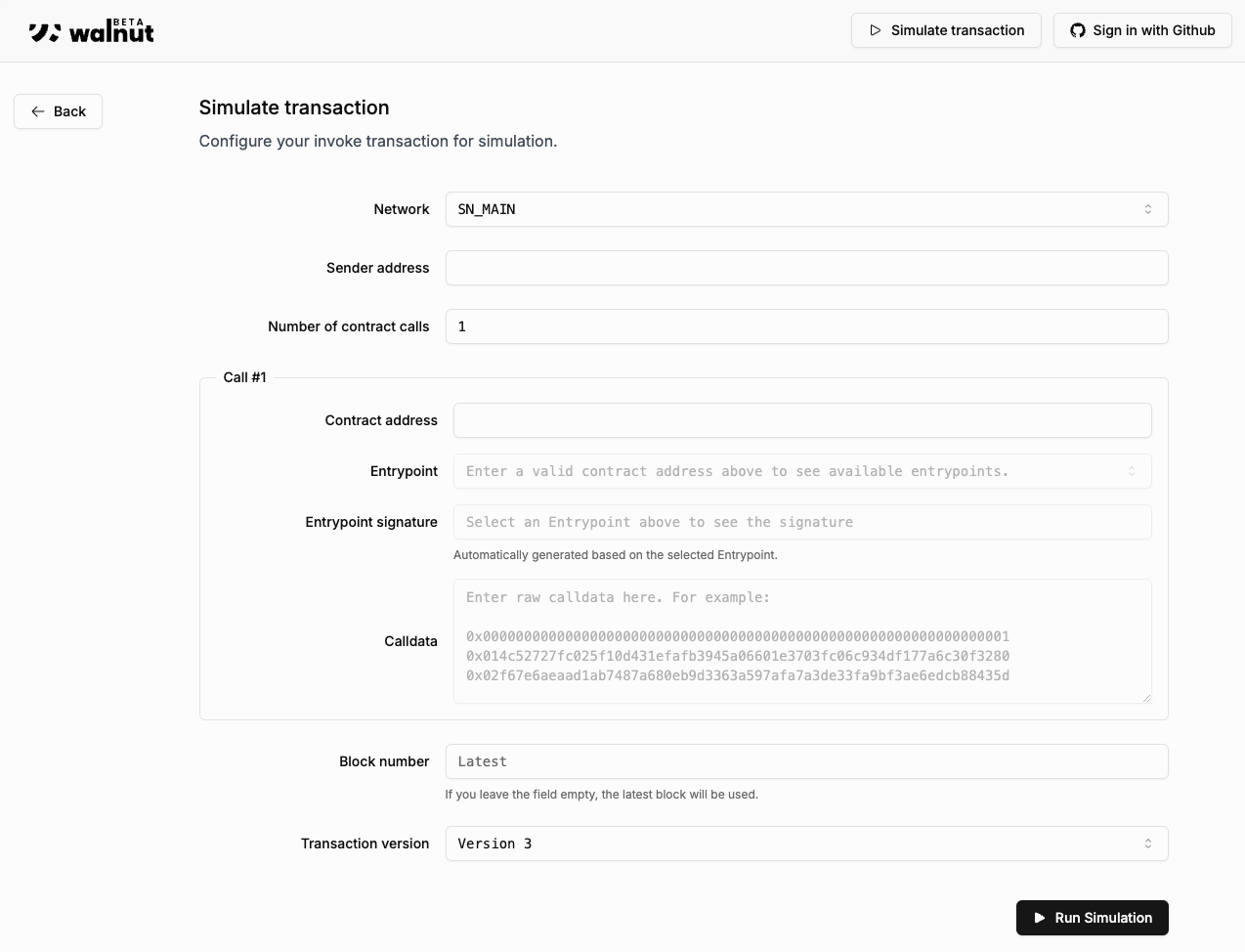
Form Breakdown:
- Network: Network to simulate on, such as Mainnet, Sepolia, or a custom network (useful for appchains).
- Sender address: Test how a transaction behaves when sent from any address. No private keys are required for simulations.
- Number of contract calls: The number of contract calls the simulation will execute. For each call, you'll specify:
- Contract address: Address of the contract being called.
- Entrypoint: The function to call from the contract. Available options are auto-populated from the contract's ABI.
- Calldata: Data passed to the entrypoint, formatted according to Cairo serialization. For more details, see Serialization of Cairo Types.
- Block number: Block number to simulate against. Leave blank for the latest block.
- Transaction version: In most cases, just use 3. For more details, refer to the official Starknet documentation.
tip
For a step-by-step guide, see Simulate New Transactions or Re-simulate Existing Transactions.